Opt-In May 14, 2026 · Gary Vogt · Updated June 10, 2026
The Hidden A2P 10DLC Trap: One Consent Checkbox for Both Marketing and Non-Marketing
Most agencies think a single consent checkbox covers every type of SMS a business might send. One checkbox. Clean form. One line of text. Done.
It's wrong. And it's one of the most common reasons A2P 10DLC campaigns get rejected.
If your opt-in checkbox reads something like:
"By checking this box, I agree to receive appointment reminders, promotions, and other messages from [Business]."
You're almost certainly going to fail campaign review. Here's why, and how to fix it.
The legal reason: marketing and transactional consent aren't the same
Under the Telephone Consumer Protection Act (47 U.S.C. § 227), marketing messages need express written consent. That's an explicit, affirmative opt-in where the recipient understands they're agreeing to promotional content.
Transactional or informational messages (appointment reminders, order confirmations, shipping updates, account alerts) need express consent, which is a lower bar — essentially, the recipient providing their phone number in the context of a transaction.
When you combine both into one checkbox, you create a legal problem. A recipient who only wants appointment reminders has no way to consent to those without also agreeing to marketing. That's coerced consent. Neither the FCC nor carriers accept it.
The TCR reason: it breaks the use case model
When you register an A2P 10DLC campaign, you pick from the official use case categories (Marketing, Mixed, Low Volume Mixed, Account Notification, Customer Care, Delivery Notification, and others). Your opt-in flow has to match the use case.
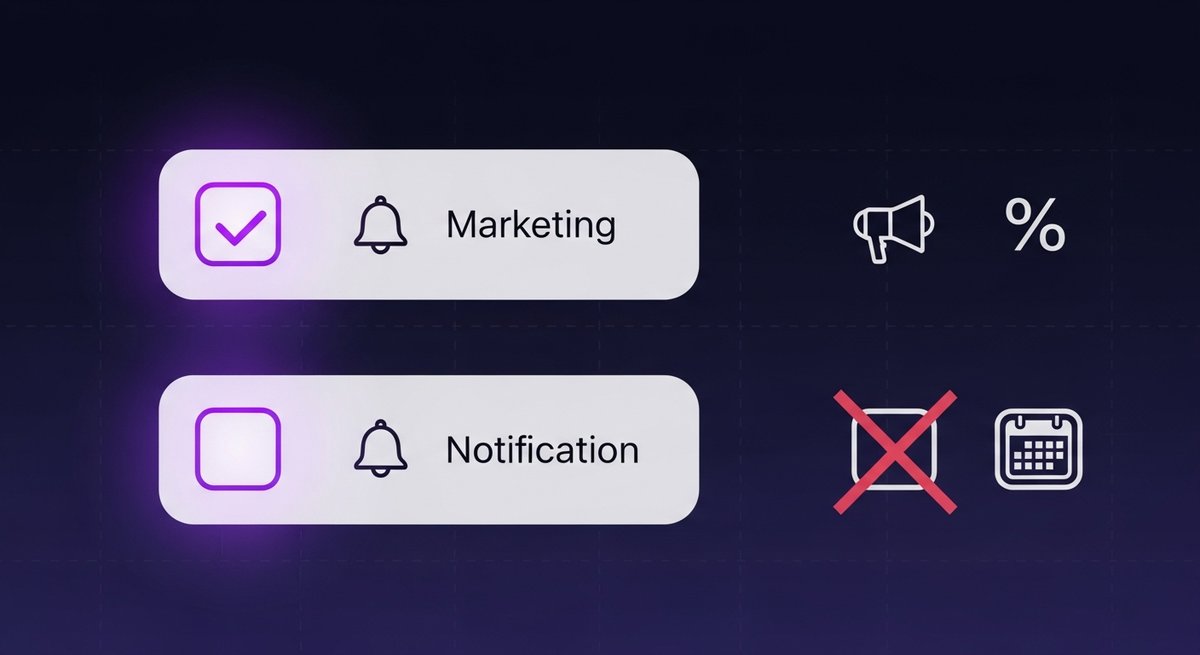
A Marketing campaign needs a checkbox that clearly covers promotional content. A Mixed campaign (the most common one for agency clients) needs two separate checkboxes:
- A marketing consent box (optional, unchecked by default)
- A non-marketing consent box (optional, unchecked by default, covering transactional categories like appointment reminders)
When campaign reviewers see a Mixed campaign with a single "we'll send you everything" checkbox, they reject it. The use case says you'll send both categories, but the form proves the recipient never specifically consented to marketing.
Anatomy of consent text that passes
"I agree to receive automated marketing messages from [Business Name]. Message frequency varies. Msg & data rates may apply. Reply STOP to cancel, HELP for help. View our Terms of Service and Privacy Policy."
Every element earns its place: the business name, the STOP keyword, the HELP keyword, the frequency and rate disclosures, and visible links to Terms & Privacy Policy on the form.
The two-checkbox structure that actually works
Here's the format that consistently passes review for Mixed use cases on forms — see our full guide to A2P 10DLC opt-in consent:
Marketing checkbox (optional, unchecked)
☐ I agree to receive marketing and promotional text messages from [Business Name] at the phone number provided. Consent is not a condition of purchase. Message frequency varies. Msg & data rates may apply. Reply STOP to opt out or HELP for help.
Non-marketing checkbox (optional, unchecked)
☐ I agree to receive appointment reminders, order confirmations, and service-related messages from [Business Name] at the phone number provided. Msg & data rates may apply. Reply STOP to opt out or HELP for help.
Required in both: business or DBA name, STOP language ("Reply STOP to opt out" matches standard checkbox templates), "Reply HELP for help," and the "Msg & data rates may apply" disclosure — both unchecked by default, both optional.
Required in the marketing checkbox only: "Message frequency varies" (or a specific frequency) and "Consent is not a condition of purchase."
On the form itself: Privacy Policy and Terms of Service links visible near the checkboxes — directly beneath them works well. Reviewers check that the consent flow you describe matches the form they find.
What about single-use-case campaigns?
If your campaign is registered under a single use case (pure Marketing, or pure Account Notification), one checkbox is fine. But the wording still matters.
Pure Marketing: the checkbox should clearly state "marketing and promotional text messages" so the consent obviously matches the use case.
Pure Account Notification, Customer Care, or Delivery Notification: name the specific message type ("appointment reminders" or "delivery updates"). Don't add "and other messages" or "including promotions." That turns it into a Mixed campaign without the registration to back it up.
Chat Widget opt-in: when you select a Pre-Built Chat Widget as your opt-in method, the widget itself includes built-in consent language — and the rules require it to be the only opt-in method on your website. Remove SMS consent checkboxes from every other form on the site (contact forms, lead forms, landing pages, appointment forms). The Trust Center's automated AI validator scans your registered website and confirms the widget is installed and that no competing consent UI exists elsewhere. A drafted packet for a chat-widget flow correctly omits the separate non-marketing checkbox — it isn't needed.
Common mistakes I see all the time
"I agree to receive texts from [Business]"
Too vague. Doesn't separate marketing from transactional, doesn't mention STOP or HELP, no rate disclosure. Auto-fail.
Pre-checked boxes
Even with perfect wording, a pre-checked box is coerced consent. The checkbox has to be empty when the form loads. Campaign reviewers specifically look for this.
Required checkbox
If the form won't submit without the consent box checked, that's also coerced. The user needs to be able to become a lead without agreeing to SMS.
Using "unsubscribe" instead of "opt out" in checkboxes
Either word communicates the same thing, and there's no published TCR rule requiring one over the other in checkbox context. But standard checkbox templates use "Reply STOP to opt out" — matching that phrasing removes one variable a picky reviewer could flag.
Forgetting HELP
Sample messages don't require HELP. Checkboxes do. Missing HELP in the checkbox is a common silent rejection.
How to audit your forms in 5 minutes
Open every active form that has a phone-number field. For each one with a consent checkbox, check:
- Is it pre-checked? Uncheck it.
- Is it required? Make it optional.
- Does it cover marketing and non-marketing in one box? Split it into two.
- Does it use "opt out" to match standard templates?
- Does it include HELP? Add "Reply HELP for help."
- Does it carry the "Msg & data rates may apply" disclosure?
- Are Terms and Privacy Policy links visible near the checkbox? Add them.
If you have more than a handful of forms, this gets expensive fast by hand. Mistakes are easy to miss when you're eyeballing it.
Get every form pre-checked before you register
Easy A2P catches combined checkboxes, pre-checked consent, forced consent, missing HELP, and missing STOP in your opt-in flow before you submit to TCR. Paste your existing checkbox text into the reviewer and you get a section-by-section pass/warn/fail report in about a minute.
Written by Gary Vogt
Builder of Easy A2P